Gmail, Facebook Pages and Ads Manager in one window.

Stop juggling browser tabs. Every account stays signed in, unread messages show up as badges, and each profile keeps its own separate login.
Download for Windows Version 1.0.0 · Windows 10 and 11 · 110 MB
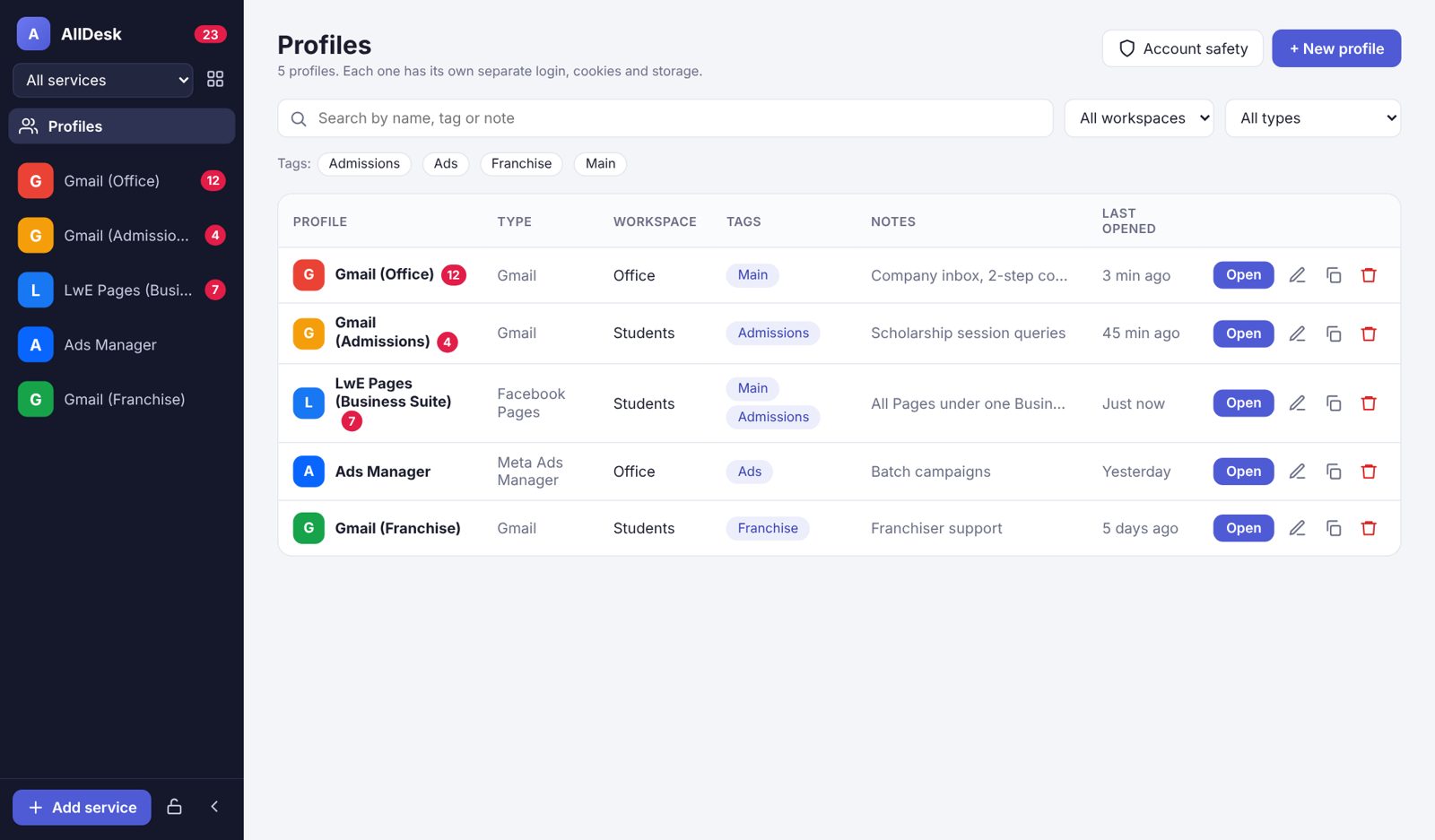
AllDesk profiles screen with Gmail, Facebook Pages and Ads Manager accounts

What you get

Built for the way our team works every day.

G

Several Gmail accounts

Office, Admissions, Franchise. Add the same service as many times as you need; each login stays separate.

F

Facebook Pages

Page inbox, comments and posts through Meta Business Suite, right next to your email.

M

Meta Ads Manager

Check campaigns, budgets and results without hunting for the tab.

#

Profiles, tags and notes

See every account in one table, filter by tag or workspace, and leave notes for your team.

🔒

PIN lock

Locks when you step away, so nobody else at the desk can open your accounts.

↻

Updates itself

New versions download in the background. You just click "Restart now".

How to install

  1. Download the installerClick "Download for Windows" above.
  2. Open the fileIf Windows shows "Windows protected your PC", click More info and then Run anyway. This appears because the app is new, not because something is wrong.
  3. Finish setupChoose where to install and click Install. A desktop shortcut is created.
  4. Add your accountsClick Gmail, Facebook Pages or Ads Manager and sign in once. AllDesk remembers it.
Keep your accounts safe: use your own login, turn on 2-step verification, and don't share passwords. Open Profiles → Account safety inside the app for the full list.